 ultimate-guide
Office Equipment Storage Tips 2026: A Complete Guide
Table of Contents
- Pre-Move Planning and Timeline for Office Equipment Storage
- How to Pack Office Electronics for Moving: Materials and Methods
- Inventory Management, Asset Tagging, and Labeling Systems
- Data Security and Server Migration During Office Relocation
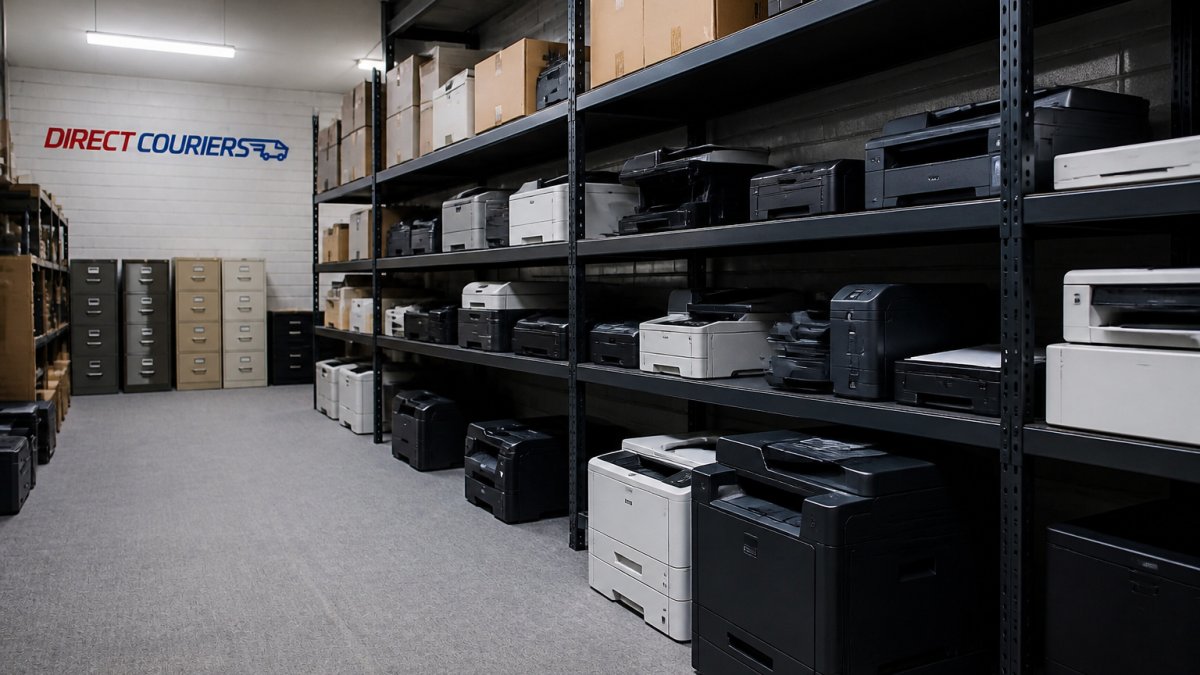
- Commercial Storage Services for Business Equipment
- Office Relocation Checklist 2026: Furniture, Hardware, and Beyond
- Insurance and Liability Coverage for Stored Office Equipment
- Sustainable Disposal and Recycling of Redundant Equipment
- Frequently Asked Questions
Last Updated: September 30, 2026
Pre-Move Planning and Timeline for Office Equipment Storage
A solid pre-move plan prevents delays, protects valuable assets, and keeps your team productive during the transition, especially when office equipment storage is part of your relocation strategy.
Create a detailed timeline 6-8 weeks before moving (4 weeks for smaller moves). Include inventory audits, vendor coordination, IT planning, and final walkthroughs. Document every deadline and assign ownership, vague timelines breed missed steps.
Conduct a complete audit of all equipment by category: IT hardware, furniture, peripherals, cabling, and archived documents. Note fragile, valuable, or special-handling items. This inventory becomes your control document and prevents costly mistakes, especially for long-term storage.
Communicate early with your team about timelines, packing responsibilities, and work impact. Clear communication reduces anxiety and ensures cooperation with packing and labeling protocols.
Finally, secure your storage facility or courier partner before you need it. Don't wait until moving day to book space. Quality climate-controlled storage fills quickly, particularly during peak seasons. Direct Couriers London Ltd offers flexible storage solutions, ensuring you have reliable space when you need it.
How to Pack Office Electronics for Moving: Materials and Methods
Packing office electronics incorrectly can result in thousands of pounds worth of damage. Protective materials and method make the difference between success and disaster.
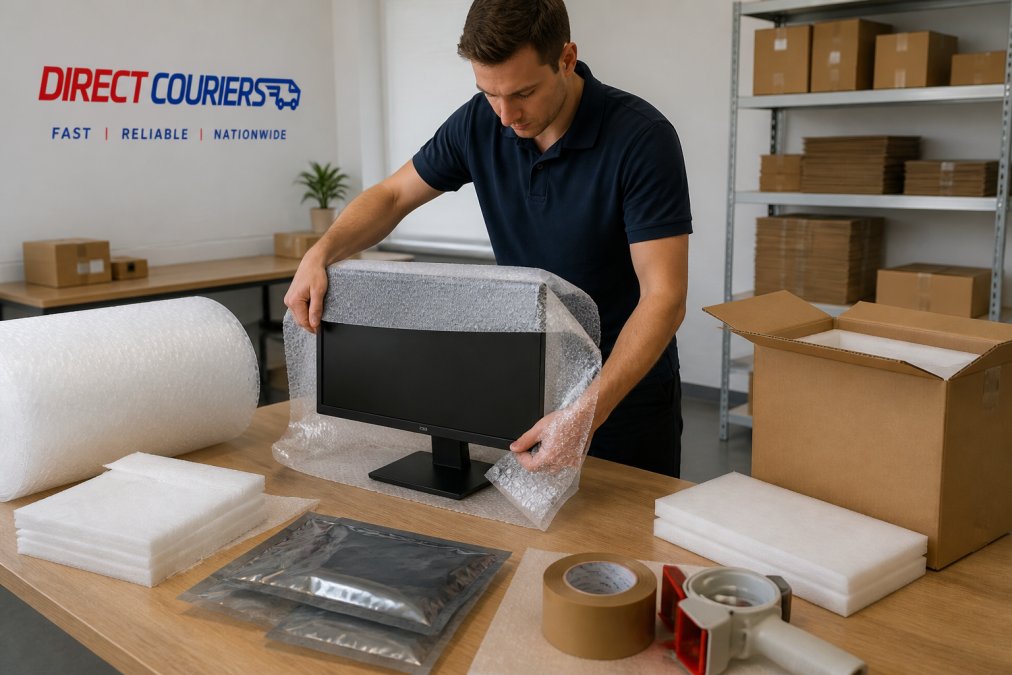
Essential Packing Materials and Protective Equipment
Use double-walled boxes, which distribute pressure evenly and protect against impact. Single-wall boxes collapse under monitors, printers, or servers. Purchase multiple sizes to avoid forcing equipment into undersized boxes.
Use three to four inches of bubble wrap around monitors and sensitive equipment. Wrap smaller items like keyboards and mice individually before boxing.
Place servers, network equipment, and circuit boards in anti-static bags before wrapping in bubble wrap to prevent both impact damage and static discharge.
Use heavy-duty reinforced tape rated for moving boxes. Apply to bottom seams, top seams, and all edges. A box that opens mid-transport defeats all other protection.
Use foam sheets and corner protectors to absorb shock and prevent punctures. Dedicated foam padding is more reliable than crumpled paper.
Step-by-Step Packing Process for IT Equipment
Follow a consistent process for every piece of equipment. Consistency prevents oversights.
Inventory Management, Asset Tagging, and Labeling Systems
Assign each piece of equipment a unique identifier (number sequence or barcode) before packing. Apply tags to both the equipment and its box for dual tracking.
Data Security and Server Migration During Office Relocation
Back up all data to secure, off-site locations before moving. Maintain backups independent of the physical move as a safety net.
Commercial Storage Services for Business Equipment
Temporary storage during an office move or renovation solves a real problem: you need space for equipment that isn't yet needed but can't be left behind.
Climate-Controlled Storage and Access Requirements
Climate-controlled storage maintains ideal conditions (30-50% humidity, 15-25°C) to protect electronics from condensation, corrosion, and component failure. The cost justifies the protection.
Storage vs. Liquidation: A Cost-Benefit Analysis
Not every piece of office equipment is worth storing. Sometimes selling or donating equipment makes more financial sense than paying for storage.
Office Relocation Checklist 2026: Furniture, Hardware, and Beyond
A comprehensive checklist prevents oversights that derail moves. Use this as your control document throughout the relocation process.
Pre-Move Phase (6-8 weeks before):
- Audit all equipment and furniture
- Identify items for storage, relocation, or liquidation
- Book storage facility and courier services
- Create detailed floor plans of new office space
- Notify IT team of equipment requiring special handling
- Schedule furniture disassembly if needed
- Back up all data and verify backup integrity
Two Weeks Before:
- Confirm storage facility reservation and access details
- Finalize packing materials and supplies
- Brief team on packing procedures and timeline
- Create asset tags and labeling system
- Photograph equipment before packing
- Confirm courier pickup dates and times
Moving Week:
- Disconnect and label all cables
- Pack electronics with proper protective materials
- Load boxes according to destination (storage vs. new office)
- Record box contents in master inventory
- Verify all items are accounted for before departure
- Take photos of empty office space
Post-Move Phase:
- Verify all items arrived at storage facility
- Confirm storage facility conditions (temperature, humidity, security)
- Reconnect equipment in new office
- Test all IT systems and network connectivity
- Update inventory system with final locations
- Review what worked and what didn't for future reference
Furniture Disassembly and Handling
Large furniture pieces require careful disassembly to move safely and avoid damage.
Cabling, Peripherals, and Workstation Setup
Before disconnecting anything, create a detailed diagram or take video of the current setup. Document which cables connect to which ports. Label cables at both ends with masking tape and permanent marker. This simple step saves enormous time when reconnecting equipment.
Insurance and Liability Coverage for Stored Office Equipment
Equipment stored during a move or renovation is at risk. Understanding your insurance coverage prevents unpleasant surprises if something goes wrong.
Sustainable Disposal and Recycling of Redundant Equipment
Equipment that doesn't make the move to the new office should be disposed of responsibly. Dumping electronics in landfill is wasteful and often illegal.
Frequently Asked Questions
What should I prioritise when creating an office relocation checklist 2026?
Start by mapping your office layout and identifying all equipment requiring relocation. Prioritise IT assets and servers first, as these have the longest downtime impact. Document every item with asset tags and photographs. Schedule IT equipment migration separately from furniture moves to minimise operational downtime. Create a timeline working backwards from your target move date, allowing at least 2-3 weeks for planning and 1-2 weeks for actual relocation. Assign clear responsibilities to team members and confirm logistics coordination with your courier service in advance.
How do I pack office electronics for moving safely?
Use anti-static bags for sensitive components and wrap all equipment in protective padding or bubble wrap. Double-walled boxes provide superior protection for fragile equipment like monitors and printers. Label every cable with masking tape before disconnection, photographing the setup for reference during reassembly. Pack cabling and peripherals separately in smaller boxes to prevent tangling and damage. Keep original packaging when available. Avoid placing heavy items on top of electronics. Use heavy-duty tape to seal all boxes securely and mark them as fragile.
What insurance and liability coverage do I need for office equipment storage?
Verify that your courier and storage provider carries full insurance coverage for all stored items. Request a detailed breakdown of what is and isn't covered, including accidental damage, theft, and environmental damage like water or mould. Document the replacement value of all equipment before storage begins. Confirm that any courier services you use offer fully insured services, and that coverage limits match your assets' worth. Review your business insurance policy to check for gaps. For high-value IT equipment or servers, consider additional coverage or specialist insurance.
How long can I keep office equipment in commercial storage services?
Storage duration depends on your provider's terms. Short-term storage typically ranges from days to weeks, whilst medium-term solutions cover months. Many commercial storage services offer flexible contracts for business relocation needs, from temporary storage during office renovations to longer-term arrangements for hybrid work setups. Climate-controlled storage protects equipment from temperature and humidity fluctuations that cause hardware degradation. Confirm access requirements with your provider, some facilities offer 24/7 access, whilst others have restricted hours. Pricing and availability depend on your location and storage volume.
What items should never go into standard office storage?
Never store perishable items, hazardous materials, or flammable substances. Avoid storing anything containing batteries without proper ventilation, as they pose fire risks. Sensitive documents requiring secure handling should not go into standard storage, use dedicated secure document storage instead. Live plants and anything requiring temperature control beyond standard climate-controlled storage should be excluded. Avoid storing items that attract pests or require constant monitoring. Check with your storage provider for their specific restrictions, as some may prohibit electronics without climate control or items exceeding weight limits.
How does sustainable disposal help during office relocation?
Many businesses accumulate redundant equipment during relocation. Rather than sending everything to landfill, partner with certified recycling providers who handle hardware decommissioning responsibly. This reduces waste, may recover some value from usable items, and demonstrates corporate responsibility. Some recyclers offer data destruction certificates for secure disposal of drives containing sensitive information. Donation programmes can give functional equipment a second life. Sustainable disposal also simplifies your relocation by removing items you no longer need, reducing storage costs and logistical complexity. Ask your courier service if they partner with recycling or refurbishment specialists.
What's the best strategy for managing an office relocation timeline?
Work backwards from your target move date. Allocate 3-4 weeks for planning, inventory, and logistics coordination. Schedule IT asset management and server migration 1-2 weeks before the physical move to test new infrastructure. Begin packing non-essential items 2-3 weeks prior. Confirm courier and storage availability at least 4 weeks in advance. Create a detailed project management schedule assigning responsibilities to specific team members. Build in buffer time for unexpected delays. Communicate the timeline clearly to all staff and your logistics provider. Test workstation setup and cabling at the new location before moving everything permanently.
How do I manage inventory and asset tagging during office equipment storage?
Create a comprehensive inventory list before packing begins, including item description, serial number, condition, and replacement value. Use asset tagging systems with barcodes or QR codes for quick identification and tracking. Photograph each item and its packing state for insurance and verification purposes. Maintain a master spreadsheet linking asset tags to storage locations. Update records as items are retrieved from storage. This system prevents loss, simplifies insurance claims if damage occurs, and ensures accountability. Many professional courier services can assist with inventory management and provide detailed tracking reports throughout storage.