 how-to
How to Track Palletized Goods Shipment
Table of Contents
- What You'll Need Before You Start Tracking
- How to Find Your Pallet Tracking Number
- Step-by-Step: Accessing the Tracking Portal
- Real-Time Pallet Tracking and Shipment Visibility
- Understanding Pallet Delivery Status and Scan Events
- Handling Pallet Delivery Delays and Exceptions
- Tracking Without a Reference Number
- Common Mistakes to Avoid When Tracking Palletized Shipments
- Frequently Asked Questions
Last Updated: October 6, 2026
What You'll Need Before You Start Tracking
You'll need your consignment number or tracking reference, the unique identifier to track palletized goods, usually on your booking confirmation or delivery paperwork.
Your postcode is also essential, most systems ask for the delivery address postcode to verify the destination.
Some carriers may request your optional customer reference number or the barcode reference printed on your pallet label.
How to Find Your Pallet Tracking Number
Check these sources first:
- Your booking confirmation email from the courier
- The delivery receipt or consignment note attached to your pallet
- Your account dashboard if you booked online
It usually appears near the top of your paperwork as a barcode, labelled "Consignment Number," "Reference Number," or "Tracking ID."
If you booked with Direct Couriers London Ltd, your tracking reference arrives instantly in your confirmation email.
Step-by-Step: Accessing the Tracking Portal
Most guides tell you to visit one courier's website, but that only works if you know who is carrying your pallet. A carrier-neutral workflow is more useful, because palletized freight is often subcontracted and the firm you booked with may not hold the scan data.
Step 1: Identify the actual carrier
Start with your booking confirmation and look for the operating carrier, not just the brand you purchased from. Pallet networks often pass a consignment to a member depot for the final leg, so your reference may work on the network's portal rather than the retailer's.
If the paperwork names a network, try the network's tracker first; if it names a depot, try that depot's page.
Step 2: Match the reference to the right field
Tracking portals rarely use one universal field. You will typically see a choice between:
- Consignment number, the carrier-assigned identifier for the whole pallet movement
- Tracking or reference number, sometimes the same thing, sometimes a shorter customer-facing code
- Customer reference, the code you created at booking; often not searchable on its own
Formats vary: a two- or three-letter prefix plus digits, an all-numeric string of eight to twelve characters, or a network-specific pattern. Spaces and hyphens are usually ignored, but capitalisation sometimes matters, so copy the reference exactly as printed.
Step 3: Enter the delivery postcode
Most portals ask for the delivery address postcode as a privacy control. Use the delivery postcode, not your billing postcode, unless they are the same.
Step 4: Submit and read the result
The portal will return one of four outcomes:
- A live status page, you are through; move to reading the scan history.
- A "not found" message, the reference is wrong, the shipment has not yet been scanned into the system, or you are on the wrong carrier's portal.
- A postcode mismatch, the reference is valid but the postcode does not match the delivery record.
- A rate-limit or security check, some portals throttle repeated searches; wait a few minutes before retrying.
Step 5: Save the direct link
Once a search succeeds, bookmark the results URL or copy it into your order record. For multiple pallets, keep a spreadsheet with consignment number, carrier, delivery postcode and saved link.
If the portal rejects your reference
Work through these checks in order before contacting anyone:
- Confirm you are on the correct carrier's portal, not the booking agent's.
- Re-copy the reference from the confirmation email rather than from memory.
- Check whether the portal wants the consignment number or the customer reference, they are not interchangeable.
If all of these fail, contact the shipper or booking agent with your order number, delivery postcode and collection date. They can confirm the correct carrier and reference, which is usually faster than guessing.
Real-Time Pallet Tracking and Shipment Visibility
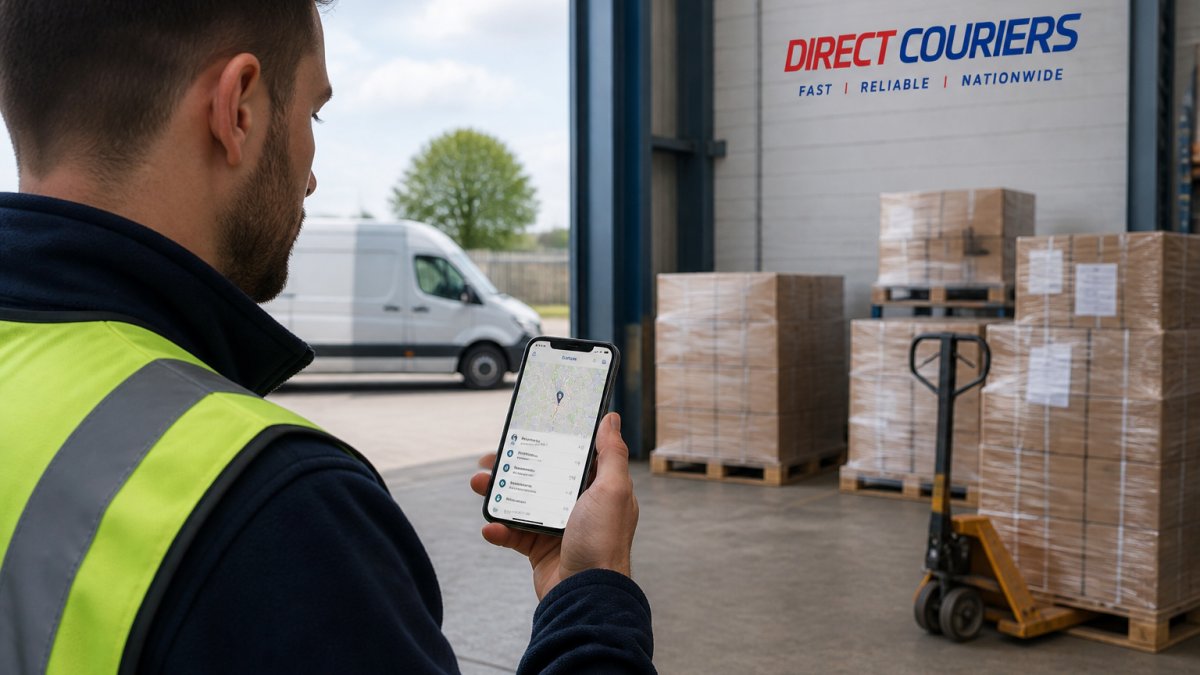
Real-time tracking shows exactly what's happening when you track palletized goods at every moment.
Modern tracking systems work by scanning your pallet at key points:
- Collection from your warehouse or location
- Arrival at the freight hub
- Departure from the hub
Each scan updates your shipment location instantly, with email or SMS notifications on major events.
The portal maps your pallet's journey, showing which freight hub it's at, when it departed, and its estimated arrival.
Understanding Pallet Delivery Status and Scan Events
A status label tells you where your pallet is in the network's process; a scan event tells you when that status was recorded and by whom. Read both together.
What each status actually means
- Booked / label created, the consignment exists in the system but the pallet has not been physically collected. No movement has occurred yet.
- Collected, a driver has scanned the pallet at the collection address. This is the first scan that proves physical possession.
- In transit, the pallet is moving between depots or on a trunk route. This status is often applied automatically and may not correspond to a fresh scan.
How to read scan events, not just status
A single pallet journey typically produces five to ten scans, each with a time, location and event type. Read them as a sequence, not in isolation.
A typical pattern for a long-distance pallet movement looks like this:
- Collected from the sender's premises
- Scanned into the origin depot
- Scanned out of the origin depot on a trunk movement
The gap between the third and fourth scan is usually the longest, because trunk movements between depots can run overnight. A gap of several hours is normal; more than a working day on a domestic movement is worth querying.
Why updates stop, and when to worry
Tracking is scan-based, not GPS-based. A pallet only appears to move when someone scans it, so between scans the page shows the last known event.
Practical expectations:
- Local or regional movements may show a scan every few hours.
- Long-distance or overnight movements may show only two or three scans across a full day.
- Weekends and public holidays often produce no scans at all, even on shipments that are technically in transit.
A quiet period of 12 to 24 hours on a multi-day movement is normal. It becomes a problem when the silence extends beyond the expected transit time, or the last scan shows the pallet still at a depot it should have left.
Distinguishing a real exception from a normal gap
An exception status is a deliberate flag raised by the carrier. A gap between scans is not.
If there is no exception flag but the shipment is overdue, ask the carrier a specific question: what was the last scan, where was it, and what is the next planned movement? That gives you a concrete answer rather than a general reassurance.
What tracking cannot tell you
Milestone tracking is not live vehicle location. Portals that show a map usually plot the last scan point, not the driver's current position, treat it as where the pallet was last seen, not where it is now.
An estimated delivery window is a forecast based on the planned route and can shift without any scan changing, especially on multi-drop routes where the driver's sequence affects arrival times.
Handling Pallet Delivery Delays and Exceptions
Traffic, weather, mechanical issues or high volume can slow your pallet. The key is knowing what's happened and what comes next.
When your tracking shows an exception status, something has deviated from the planned route. Common exceptions include:
- Delivery address not accessible
- Recipient not available to receive
- Damaged pallet requiring inspection
Common Reasons for Tracking Updates Not Appearing
Tracking information often doesn't update for several hours, which is usually normal.
Updates happen at scan points, when your pallet passes through a hub or delivery checkpoint.
Scan frequency depends on the route: a local delivery might update every 2-3 hours, while a cross-country journey may only update at major hubs, once or twice a day.
If you haven't seen an update in 24 hours on a long-distance shipment, contact the carrier. Provide your consignment number.
What to Do When Your Shipment Is Delayed
If your tracking shows a genuine delay, take these steps:
Contact the carrier immediately. Use the number on your tracking portal or booking confirmation, have your consignment number ready, and ask for a specific reason and revised delivery estimate.
Notify your customer. Tell them about the delay and the new expected delivery date.
Document the delay. Screenshot your tracking status, you may need proof for insurance or disputes.
Ask about compensation. Many carriers offer credits or discounts for significant delays, especially if the delay impacts your business.
Direct Couriers London Ltd prioritizes on-time delivery. If delays occur, we communicate proactively with our customers.
Tracking Without a Reference Number
Losing your consignment number is frustrating, but several options exist to locate your shipment.
Check your email. Search for messages from the courier, booking confirmations always include your reference number.
Contact the sender. If someone else arranged the delivery, ask them for the consignment number.
Once you have your consignment number, follow the standard tracking steps above to monitor your pallet's progress.
Common Mistakes to Avoid When Tracking Palletized Shipments
Small errors derail tracking attempts. Avoid these pitfalls.
Entering the wrong consignment number. Double-check every digit. One mistake returns no results.
Using the wrong postcode. Verify the delivery postcode matches exactly.
Confusing customer reference with consignment number. Your customer reference is optional and created by you.
Not updating your search. Portals don't auto-refresh, reload or search again for the latest status.
Tracking your palletized goods shipment shouldn't be complicated.
Frequently Asked Questions
How can I track a pallet shipment if I don't have the tracking number?
If your tracking number is missing, contact your courier or the sender directly with your consignment details. Most carriers can search using your postcode and delivery address, or your customer reference number. Some tracking portals allow you to search by recipient name and postcode. For palletized goods, you may also find the reference on the pallet label itself, on your delivery confirmation email, or on the original invoice. If the shipment was collected from your location, ask the driver for the consignment number.
Why isn't my pallet tracking information updating?
Tracking updates can take 2-4 hours after collection, depending on the carrier's scanning frequency and network hubs. If your shipment shows no recent updates, check that you've entered the correct tracking number and postcode. Verify the tracking portal matches your carrier (Palletforce, Pall-Ex, or your chosen network). System delays during peak periods or overnight hours may also slow updates. Contact your courier if tracking hasn't updated for more than 24 hours; this may indicate a scanning error or delivery exception.
What does real-time pallet tracking mean and how accurate is it?
Real-time pallet tracking shows your shipment's location and status as it moves through collection, freight hubs, and delivery stages. Updates occur when your pallet is scanned at each checkpoint. However, 'real-time' typically means updates within 2-4 hours, not live GPS tracking. Accuracy depends on consistent barcode scanning; if a scan is missed, the next update may show a jump in location. Most carriers provide estimated delivery windows rather than exact times. Real-time visibility helps you prepare for arrival and communicate reliably with customers.
What should I do if my pallet delivery is delayed?
First, check your tracking portal for delivery exceptions or status changes. Contact your courier immediately with your consignment number and ask for a revised estimated time of arrival (ETA). Delays often result from traffic, weather, or network congestion and may resolve within 24 hours. If the delay exceeds your delivery window, request written confirmation of the new date. For time-sensitive shipments, ask about priority rerouting. Keep records of all communications and check your insurance coverage if the delay causes financial loss. Follow up in writing if the delay persists beyond 48 hours.